What TanCat is
TanCat turns a plain-language user story into executable Playwright pytest tests. The selectors in those tests are read from the real page, so they do not hallucinate. It runs against your own LLM - a local llama.cpp server, Ollama, LM Studio, or a cloud provider you choose.
User story (natural language)
    |
    v
Skeleton generation   - the LLM writes the test structure with placeholders
    |
    v
DOM scraping          - the real page structure is captured
    |
    v
Placeholder resolution - placeholders become real selectors
    |
    v
Executable pytest file (sync format, ready to run)
Two phases, not one
A single "write me a Playwright test" prompt asks the model to invent selectors it cannot see. TanCat splits the job:
- Skeleton. The LLM writes one test function per acceptance criterion, with
a typed placeholder where a locator belongs, for example
{{CLICK:Add to cart for Blue Top}}. - Resolution. TanCat scrapes the page, scores the real elements against the placeholder, and replaces the placeholder with the best selector. The page structure is never injected into the prompt.
The split is what makes the selectors real. See How the pipeline works and Placeholders, resolution and skips.
Your LLM, your machines
TanCat talks only to the LLM endpoint you configure and to the application under test. Point it at a local or self-hosted model and nothing leaves your network; cloud OpenAI and OpenRouter are supported too. The egress audit is the published record of that claim.
Where it runs
- Streamlit UI - the primary interface, for non-technical testers.
bash launch_ui.sh, then http://localhost:8501. - CLI - an interactive terminal menu.
bash launch_cli.sh. - Docker - the image runs the Streamlit UI on port 8080 inside the container.
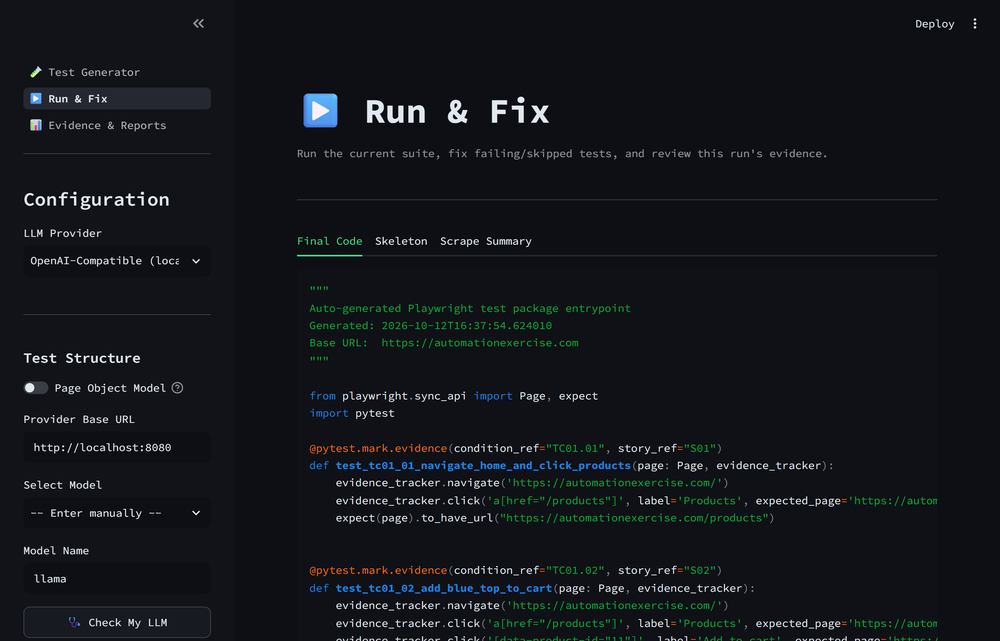
The Test Generator screen. Configure the LLM in the sidebar, paste a story, and run the pipeline.
Ready to install it? Start at Install.